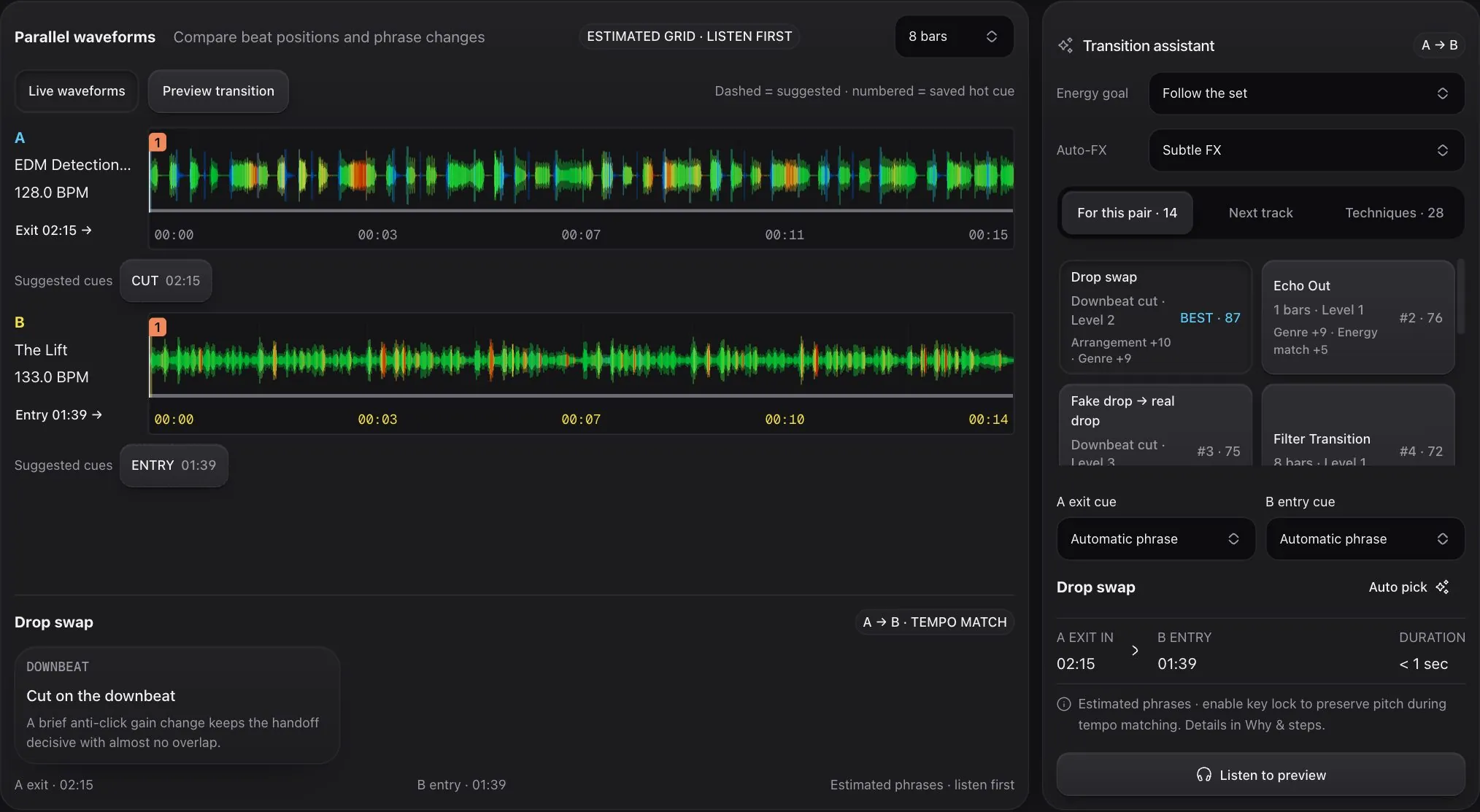
See every way to mix these two tracks
For each pair, Cue ranks the moves that fit, marks the entry and exit on both waveforms and explains why.
No decks, no download, no clue? Perfect. Cue is a free DJ studio in your browser that shows you exactly when to make your move, or does it for you while you learn.
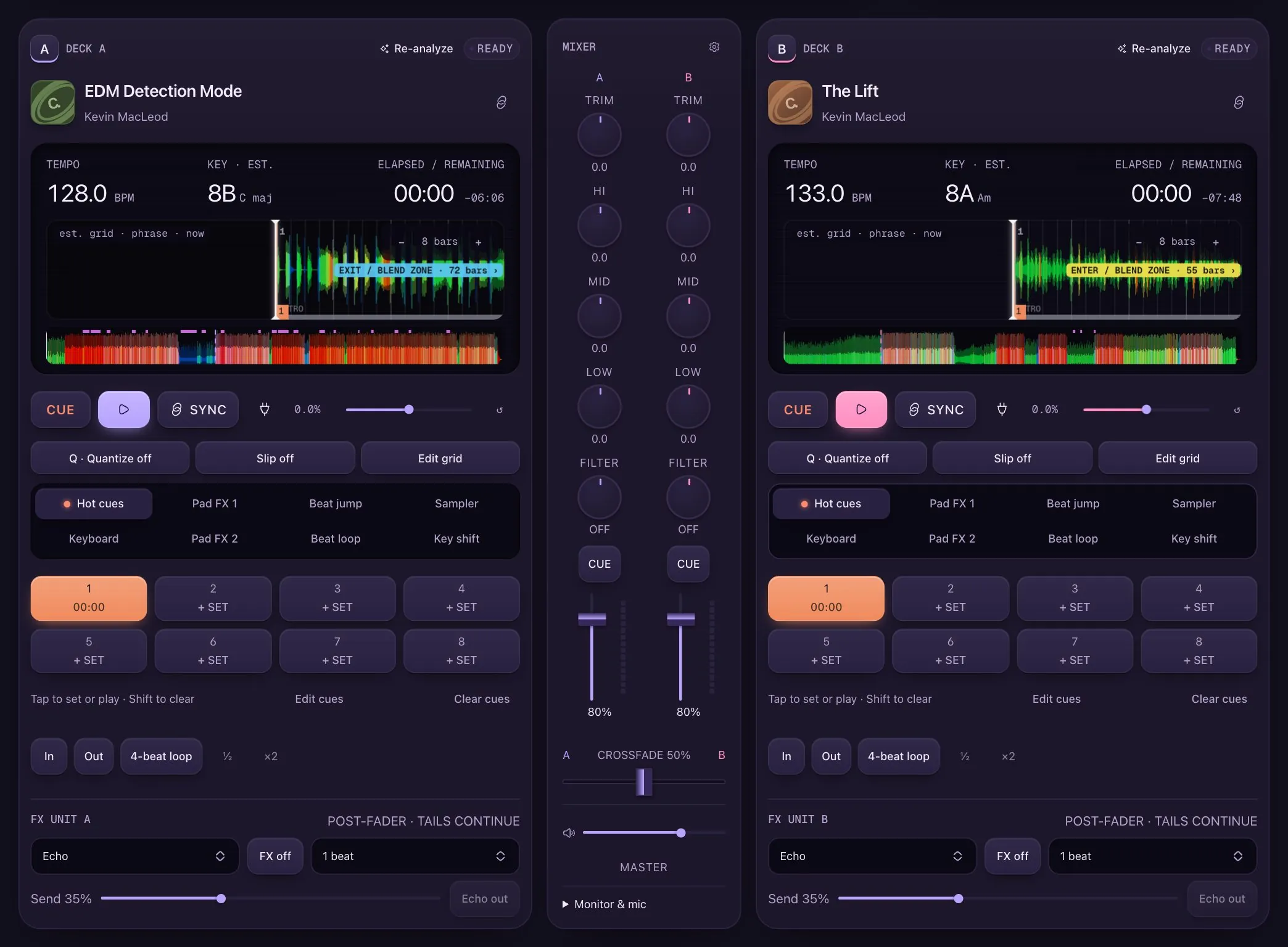
The real studio, not a mockup. Four moves and you've done your first transition.
A mouse and keyboard are enough. Got a DDJ-FLX4? Plug it in and it just works.
Open it in Chrome or Edge on your computer. That's the whole setup.
Five free tracks to start. Your own music stays on your computer.
No account, no card, no catch. Just press play.
Automix
It's like a DJ friend taking a turn at the decks. Automix mixes your music the way a person would, and shows every move so you can steal them.
Steady, calmer, groovier or bigger. You set the direction.
Close tempo, a key that fits, energy going your way, no repeats.
Blend, bass swap, echo out, filter, loop or cut.
Music moves in 8- and 16-bar chunks. It waits for the right one.
Faders and EQ move on screen, with the reason written down.
Try it: pick a move and watch 16 bars play out
Two kick drums fight. So only one track gets the bass at a time.

Follow the set, bring it down, settle into a groove or lift the room.
Quick, punchy mixes, classic DJ pacing, or let each track breathe.
How much echo, reverb and filter Automix is allowed to use.
Visuals
Flip to the Visuals tab and 22 scenes move with the music: lasers, neon tunnels, chrome, galaxies and more. Cue picks a new one on every drop. Put it fullscreen on a TV or projector and play.
Pulses land on the kick from the beatgrid, and every drop flashes.
Scenes dissolve at the pace of each transition and match the next track's energy.
Spectrum, your theme or each track's key. A mix shows both decks' colors.
Fullscreen at up to 120 fps on a TV or projector. Resolution adapts to your machine.
Learn & play
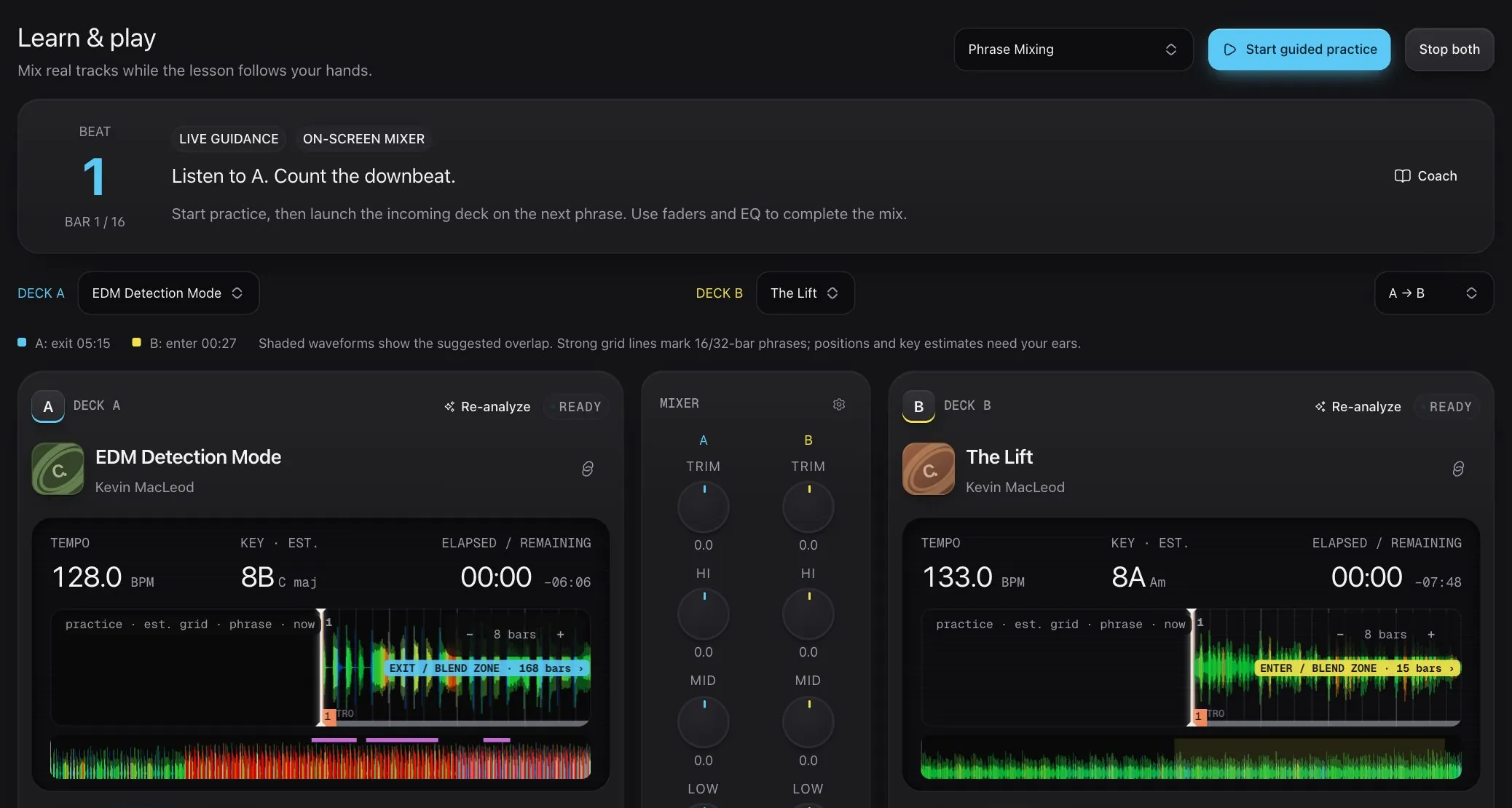
Turn Automix off and the coach stays with you. It shades where to mix, counts the bars and says what to touch next, while the music plays.
Live guidanceListen to A. Count the downbeat.
Start here
Some study-only for now
Everything in the box
For each pair, Cue ranks the moves that fit, marks the entry and exit on both waveforms and explains why.
Eight pads a deck. Jump to the drop, loop the best bit, roll a stutter.
Beat-synced echo, room reverb and filters, plus one-button echo outs.
Connect a folder. BPM, key and energy get worked out on your computer. Nothing is uploaded.
Sync matches tempo and bar. Key lock stops vocals going chipmunk.
Play your set, download it and send it to your friends.
Pads, jogs, Beat FX and lights work straight away, and the coach switches to hands-on guidance.
Themes
9 looks for every room. Pick one and this whole page changes with it.
Compare
Cue is where you learn and have fun. Heading for a club booth? The pro apps are great next steps, and everything you learn here carries over.
| Feature | Cue | Beatport DJ | rekordbox | Serato DJ | Traktor Pro 4 | djay |
|---|---|---|---|---|---|---|
| Runs in the browser, nothing to install | ✓ | ✓ | — | — | — | — |
| Free to start | ✓Free beta | ✓Free tier | ✓Free tier | ✓DJ Lite | —Paid licence | ✓Free tier |
| Live coach for each transition | ✓Zones, timing, EQ | — | — | — | — | — |
| Built-in mixing lessons | ✓28 techniques | — | — | — | — | — |
| Automix | ✓Shows its reasoning | ✓ | ✓ | ◐Autoplay | ◐Cruise mode | ✓ |
| Stem separation | ◐Prepared on your device | — | ✓ | ✓ | ✓ | ✓ |
| Decks | ◐2 | ◐2 | ✓Up to 4 | ✓Up to 4 | ✓Up to 4 | ✓Up to 4 |
| Controllers | ◐DDJ-FLX4 | ◐Selected MIDI | ✓Wide range | ✓Wide range | ✓Wide range | ✓Wide range |
| Best for | Learning and having fun | Trying Beatport tracks in a mix | Preparing for club CDJs | Open-format and scratch DJs | Live, creative performance | Casual and mobile mixing |
✓ yes · ◐ partly · — not built in. From public product information, October 2026. Features and pricing change, so check each vendor before you decide.
What's next